Panels
As well as the flow editor, which displays and allows editing of the flow of nodes and links, Common Canvas has five additional optional panels:
- Toolbar panel
- Left-flyout panel
- Right-flyout panel
- Top panel
- Bottom panel
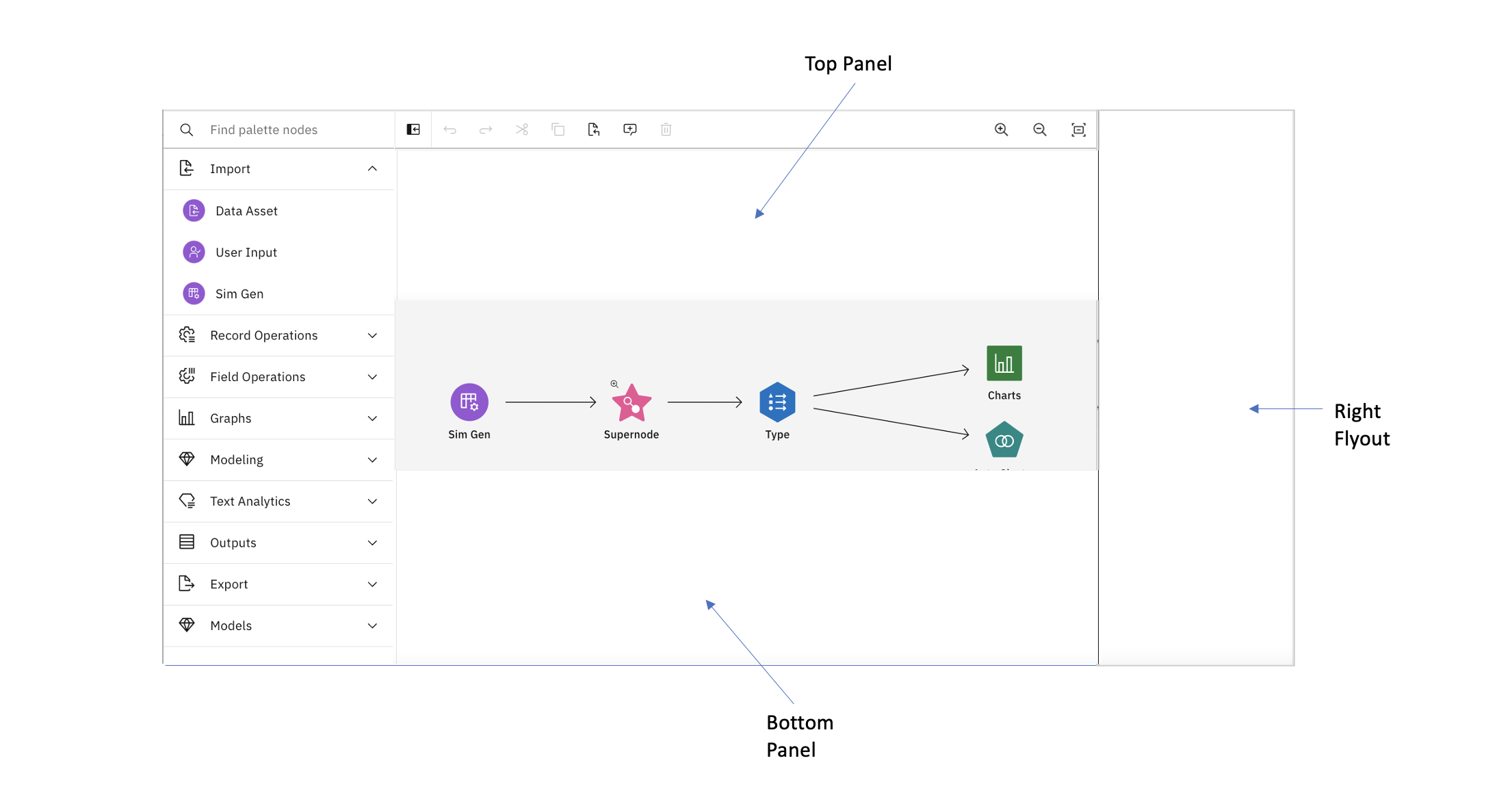
The toolbar panel always displays the main toolbar but the others can be used by the application to display any additional content to the user such as a palette of nodes, properties for a node, logs, data previews or other ancillary information.
Traditionally, the left-flyout is used to display a palette of nodes and the right-flyout is used to display properties of the currently selected node.
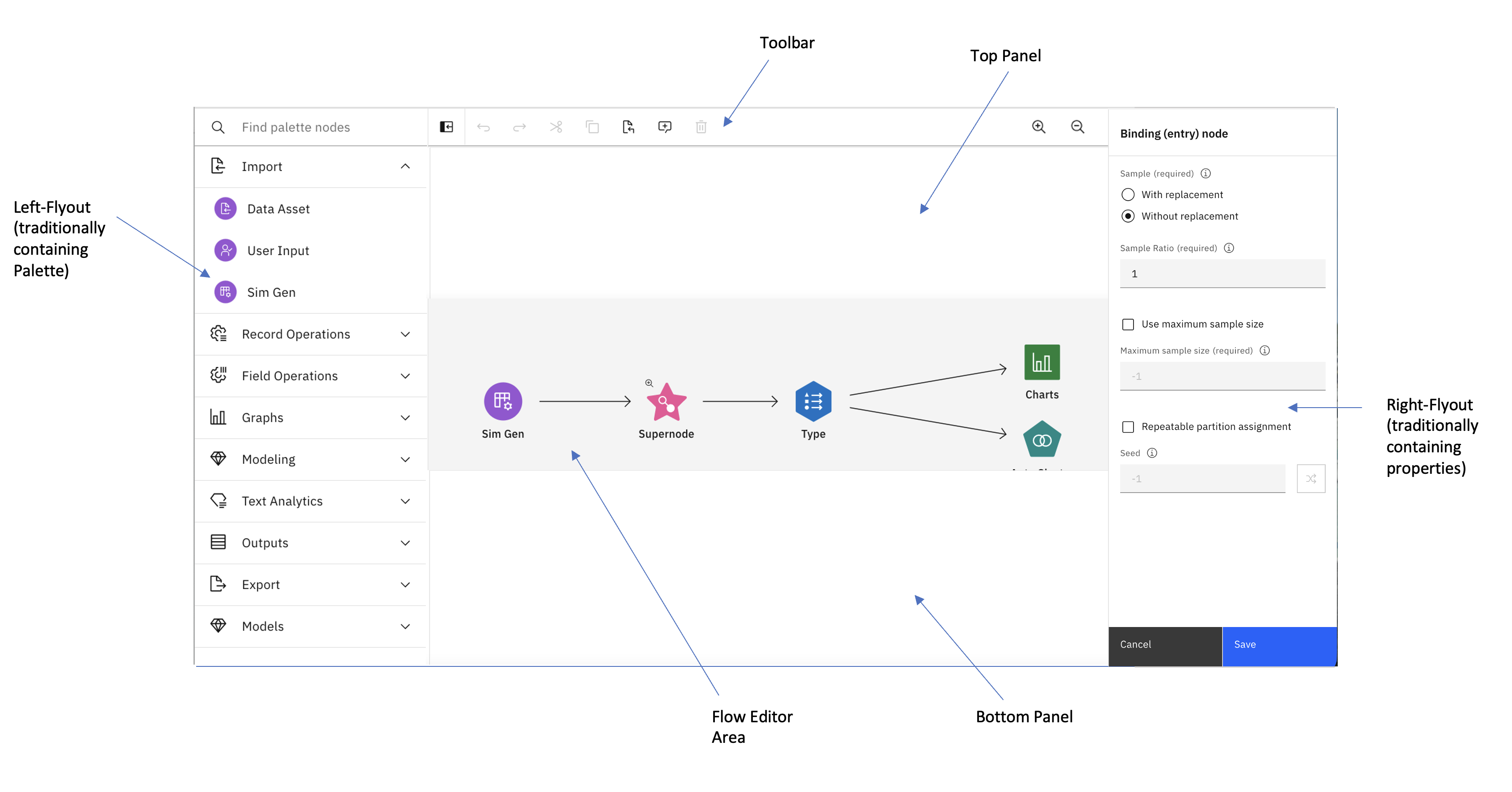
The application can, optionally, use Common Properties to display the controls for the properties of a node.
Customizing content and display
The panels can be displayed or hidden and their contents and layout customized using customization options for panels.